Contact the Host
Overview
If you have a question about an event, you can contact the event host directly from the event page.
The Contact the host feature allows you to send a message to the event organizer without leaving the platform.
This is useful if you need clarification about:
event details
registration status
attendance requirements
event logistics
Your message will be delivered directly to the host.
Where to Find “Contact the Host”
You can access this option from the event detail page.
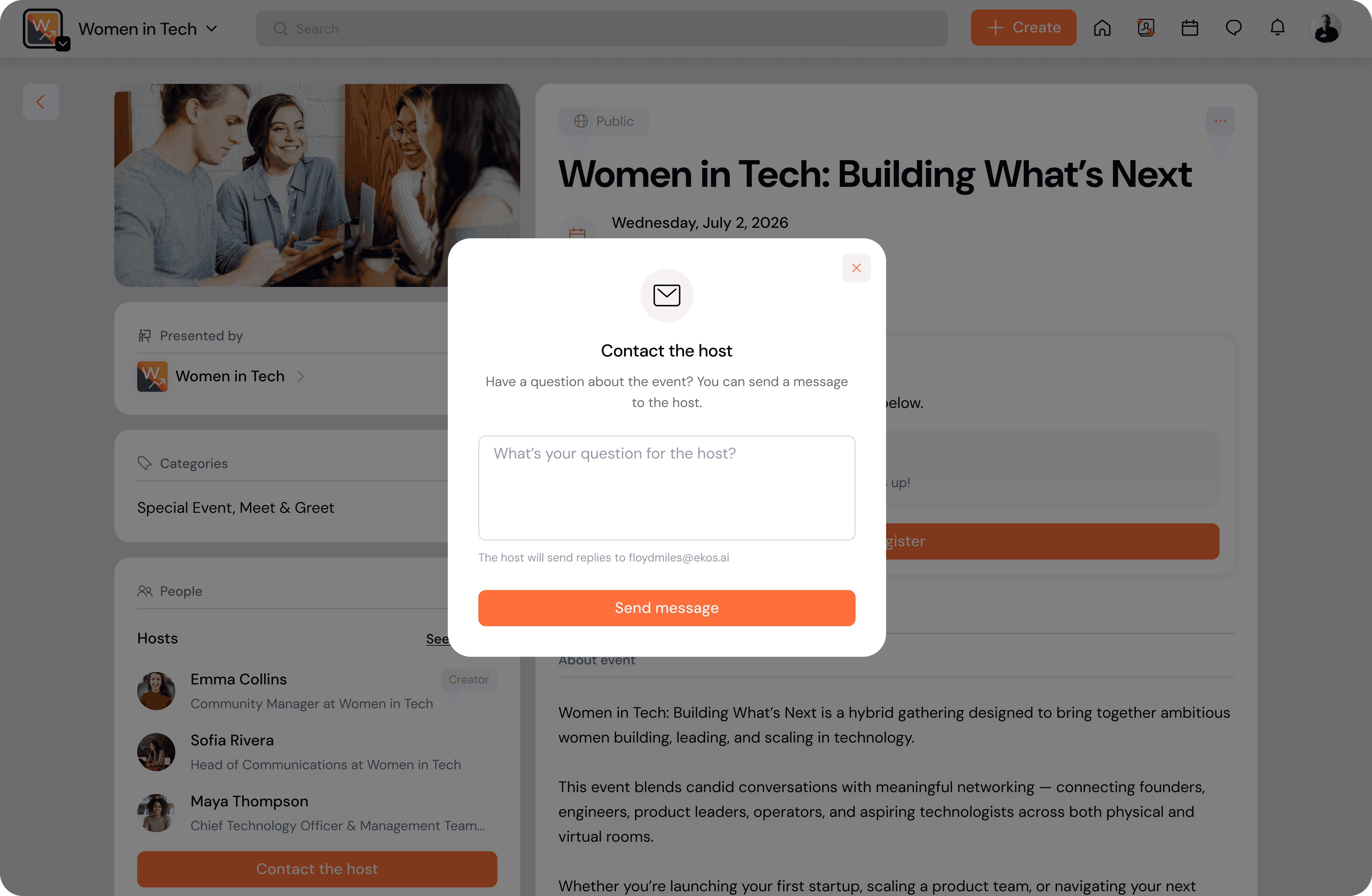
In the People section, you will see the list of event hosts.
Click the Contact the host button to open the message window.
Sending a Message
When the Contact the host window opens:
Enter your question in the message field.
Click Send message.
Your message will be delivered to the event host via email.
The host can then respond to your inquiry.
When You Can Contact the Host
You can contact the event host in several situations.
Before registering
If you are reviewing the event and have questions before registering, you can message the host directly.
Example questions:
Is this event suitable for beginners?
Will the session be recorded?
What should I prepare before attending?
If your request is pending
If the event requires approval and your registration request is still pending, you can contact the host to follow up or ask questions.
After registering
Even after you register for the event, you can still contact the host for additional information.
For example:
confirming event logistics
asking about preparation materials
notifying the host about schedule conflicts
If your request was not approved
If your registration request was not accepted, you may still contact the host to ask for clarification or additional details.
If registration is closed
If the event has reached its capacity or registration is closed, you can still message the host to ask whether additional spots may become available.
After the event
Even after the event has ended, you may contact the host to:
request resources or recordings
ask follow-up questions
continue the conversation
Message Delivery
When you send a message through Contact the host:
the message is sent directly to the host
the host receives it via email
your message includes the event context
This ensures the host knows which event your message is about.
Best Practices
Be specific
Include clear details in your message so the host can respond quickly.
Check event information first
Many common questions are already answered in the event description or details.
Use Contact the Host for event-related questions
For platform support issues, use the Help Center instead.