Edit Profile
Overview
Your profile helps other members understand who you are, what you do, and what you’re interested in.
Keeping your profile updated improves:
networking opportunities
AI-powered recommendations
member discovery inside your community
You can update your profile information at any time from your Profile page.
Accessing Profile Editing
To edit your profile:
Open your Profile page.
Click Edit profile.
Update any section you want to modify.
Click Save.
Changes will be reflected immediately on your profile.
Profile Information
Your profile includes several sections that help other members understand your background and interests.
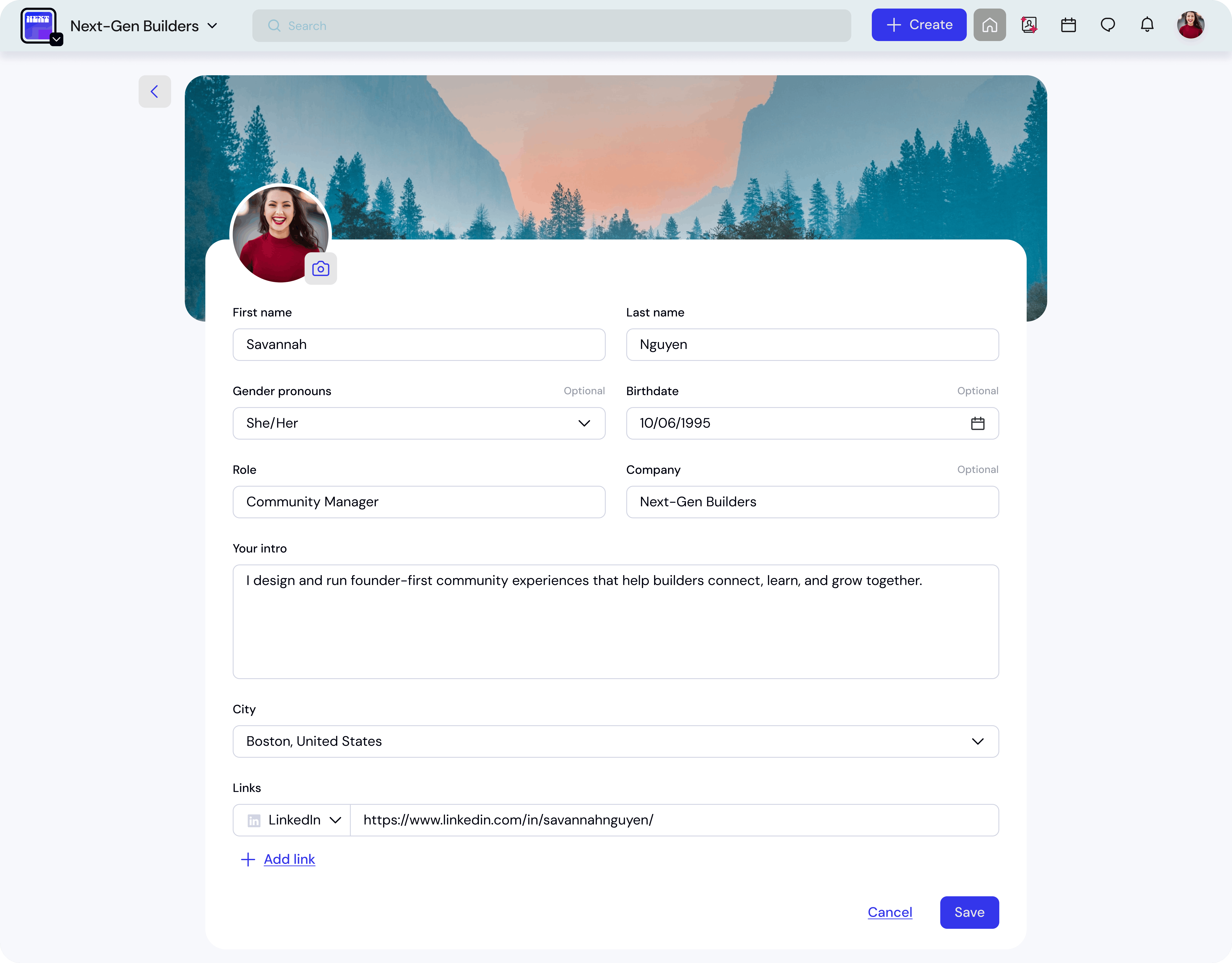
Basic Information
You can update the following information:
First name
Last name
Gender pronouns (optional)
Birthdate (optional)
Role
Company
Short introduction
Your introduction is a short bio that appears on your profile and helps others quickly understand your background.
Location
You can add your city to show where you are based.
This helps EKOS suggest:
nearby members
relevant events
local community opportunities
Social Links
You can add links to your social profiles or personal website.
Supported links include:
X (Twitter)
Instagram
LinkedIn
Facebook
Personal website
Adding a link
Select the platform from the dropdown.
Enter the profile URL.
Click Save.
You can add multiple links to your profile.
Markers (Interests)
Markers represent your skills, interests, and topics you care about.
These help EKOS:
recommend relevant members
match you with communities
suggest events aligned with your interests
Editing markers
Click the Edit markers icon.
Select markers from the list.
Remove markers you no longer want.
Click Save.
You can add multiple markers to represent your professional or personal interests.
Networking Goals
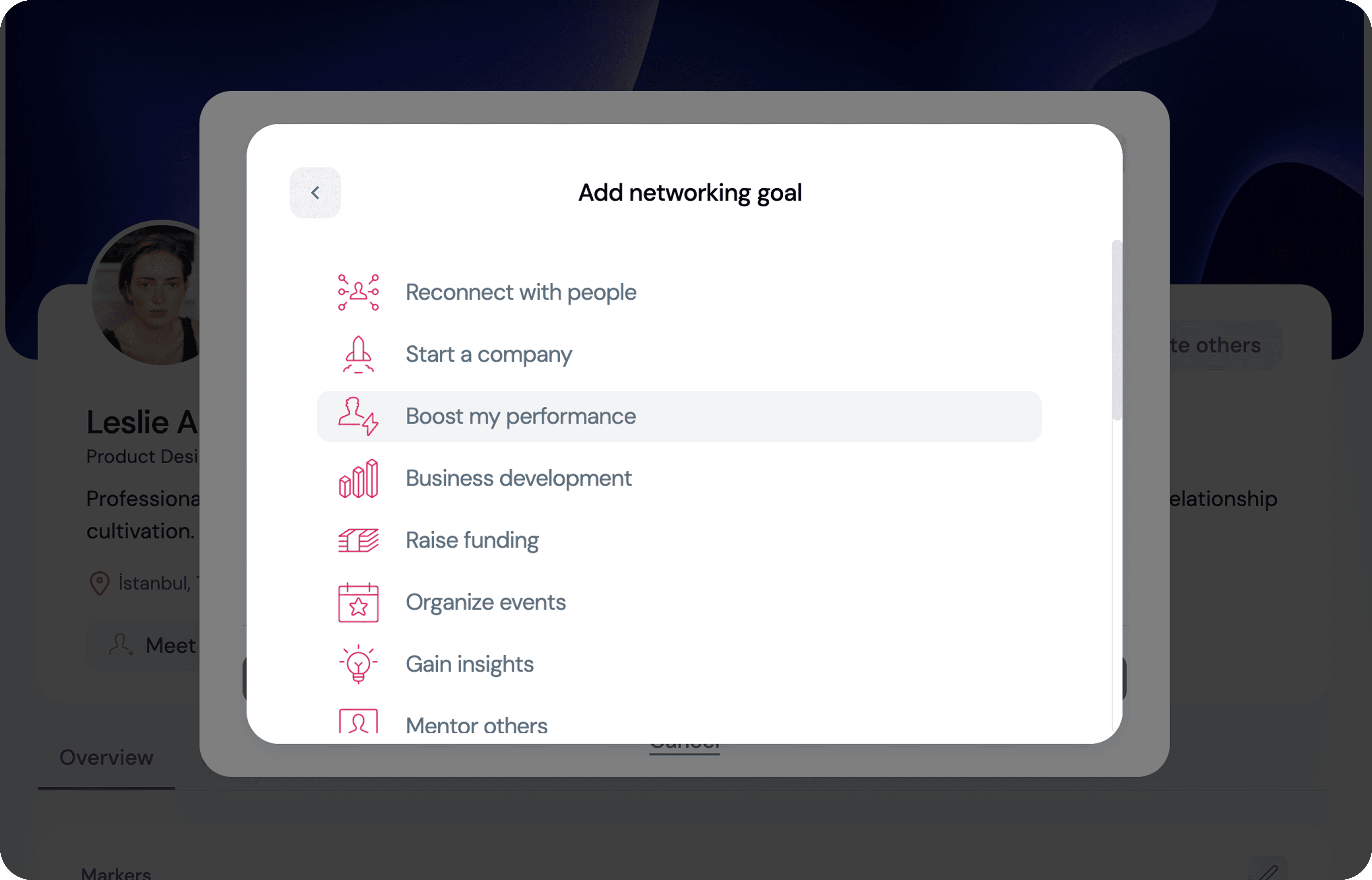
You can set networking goals to show other members what you are looking for in the community.
Examples include:
meeting interesting people
starting a company
raising funding
organizing events
gaining insights
mentoring others
Setting networking goals
Open Networking goals.
Select a goal or add additional ones.
Click Save.
Your main goal will be visible on your profile, while other goals help EKOS match you with relevant members and opportunities.
Experience
You can showcase your professional experience to highlight your career history.
Adding experience
Click Add experience.
Enter:
title
company
start date
end date
Select I’m currently working in this role if applicable.
Click Save.
Your experience will appear on your profile timeline.
Editing experience
To update an existing role:
Click the Edit icon next to the experience entry.
Modify the information.
Click Save.
You can also delete an experience if it is no longer relevant.
Education
You can add your educational background to connect with other alumni and members with similar academic paths.
Adding education
Click Add education.
Enter:
school
degree
field of study
start date
end date
Click Save.
Your education will appear on your profile.
Profile Visibility
The information you add helps other members discover you, connect with you, and understand your expertise.
Keeping your profile updated increases your chances of:
being discovered by relevant members
receiving meaningful connection requests
getting better event recommendations