Change Language for Your Account
Overview
EKOS supports multiple languages, allowing users to choose the interface language that works best for them.
You can change your preferred language at any time. The selected language will apply to the entire platform, including:
navigation menus
buttons and interface elements
system messages
Your language preference is saved to your account and will remain the same across future sessions.
Currently supported languages include:
English
Turkish
Change Language from the Sign-in or Sign-up Page
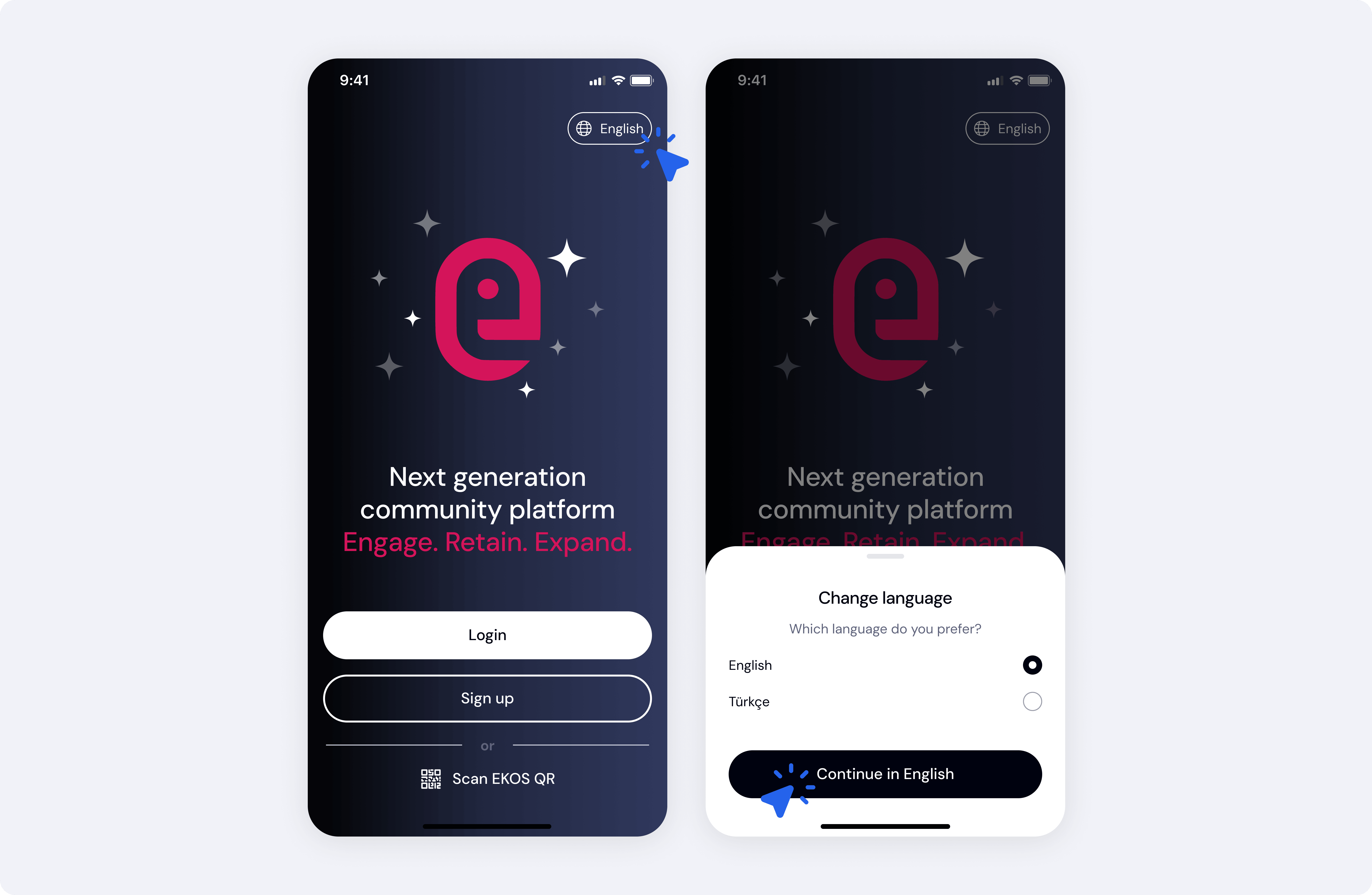
You can select your preferred language before logging in.
To change the language from the login screen:
Go to the login page.
Click the Language selector in the top-right corner.
Choose your preferred language.
Click Save.
The interface will update immediately.
This option is useful if you want to change the platform language before accessing your account.
Change Language from Your Profile Menu
You can also update your language preference from your account settings.
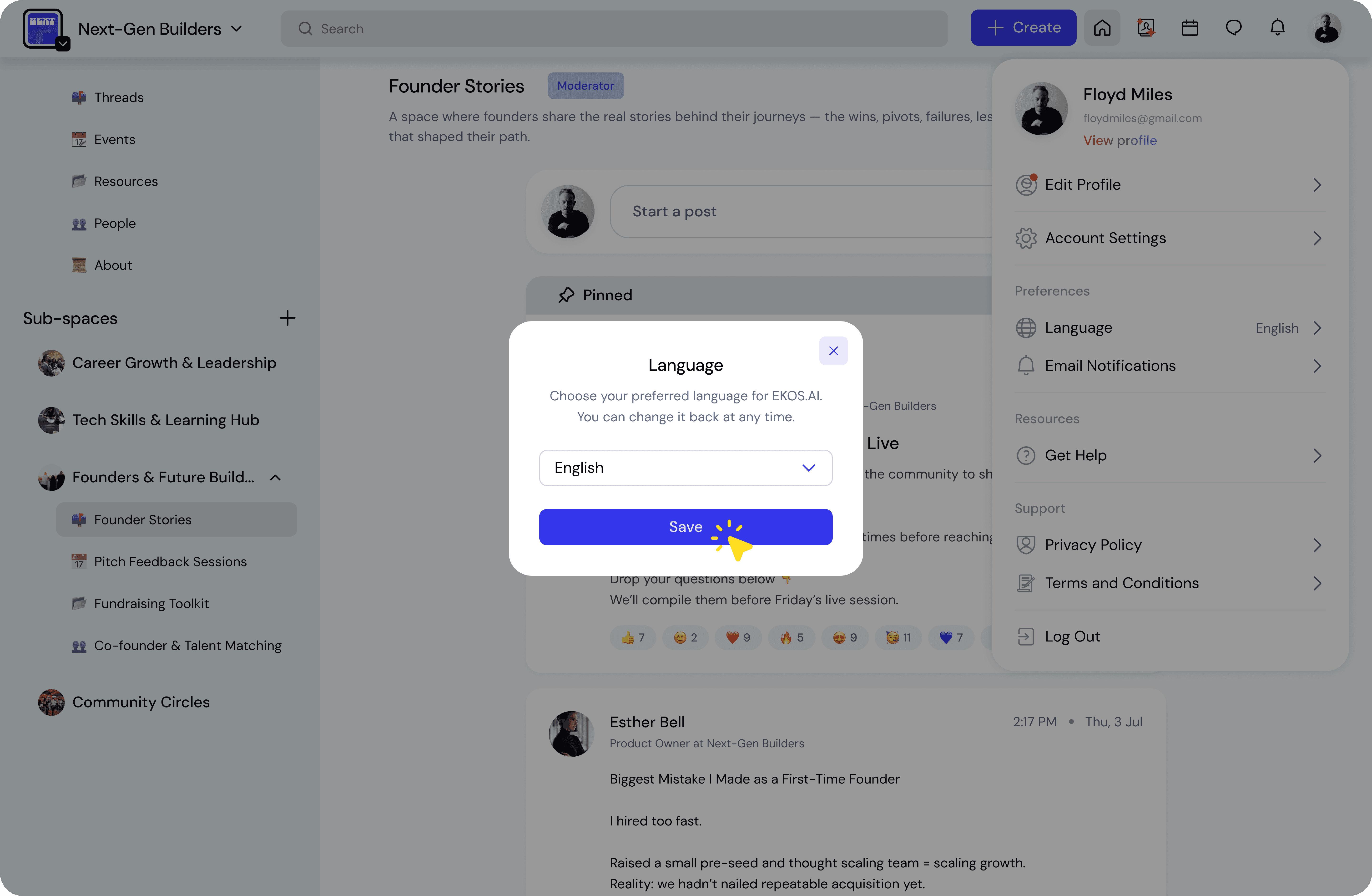
To change the language from the user menu:
Click your profile avatar in the top-right corner.
Open Account Settings.
Under Preferences, select Language.
Choose your preferred language from the dropdown.
Click Save.
Your language will update instantly.
When Language Changes Take Effect
After saving your language preference:
the interface will immediately update
future sessions will continue using the selected language
There is no need to log out or refresh the page.
Best Practices
Choose the language most comfortable for you
This helps ensure you can navigate the platform easily.
Switch languages anytime
You can update your language preference whenever needed through your profile menu.